
People search "how to withdraw USDT" or "how to turn USDT into cash", but they mean the same thing: selling USDT to someone else for local currency paid into your own bank account or mobile wallet. On Binance the usual way is a P2P sale: you pick a buyer's ad, the buyer pays you, and once you have confirmed the money in your own account you release the USDT.
Selling is buying in reverse, and the risk shifts to you: a release cannot be undone. Following the process in Binance's help centre, here is each step and the one that needs the most care.
Key points
- Your USDT must be in the Funding account before you sell
- The receiving account must be your own, in your verified name; buyers see it
- Confirm money only in your own bank or wallet app; texts and screenshots do not count
- Click Payment Received and Confirm Release only after the money has arrived
- If the payer is not the buyer, or the buyer pushes you to release first, appeal
Step 1: Get the account and funds ready
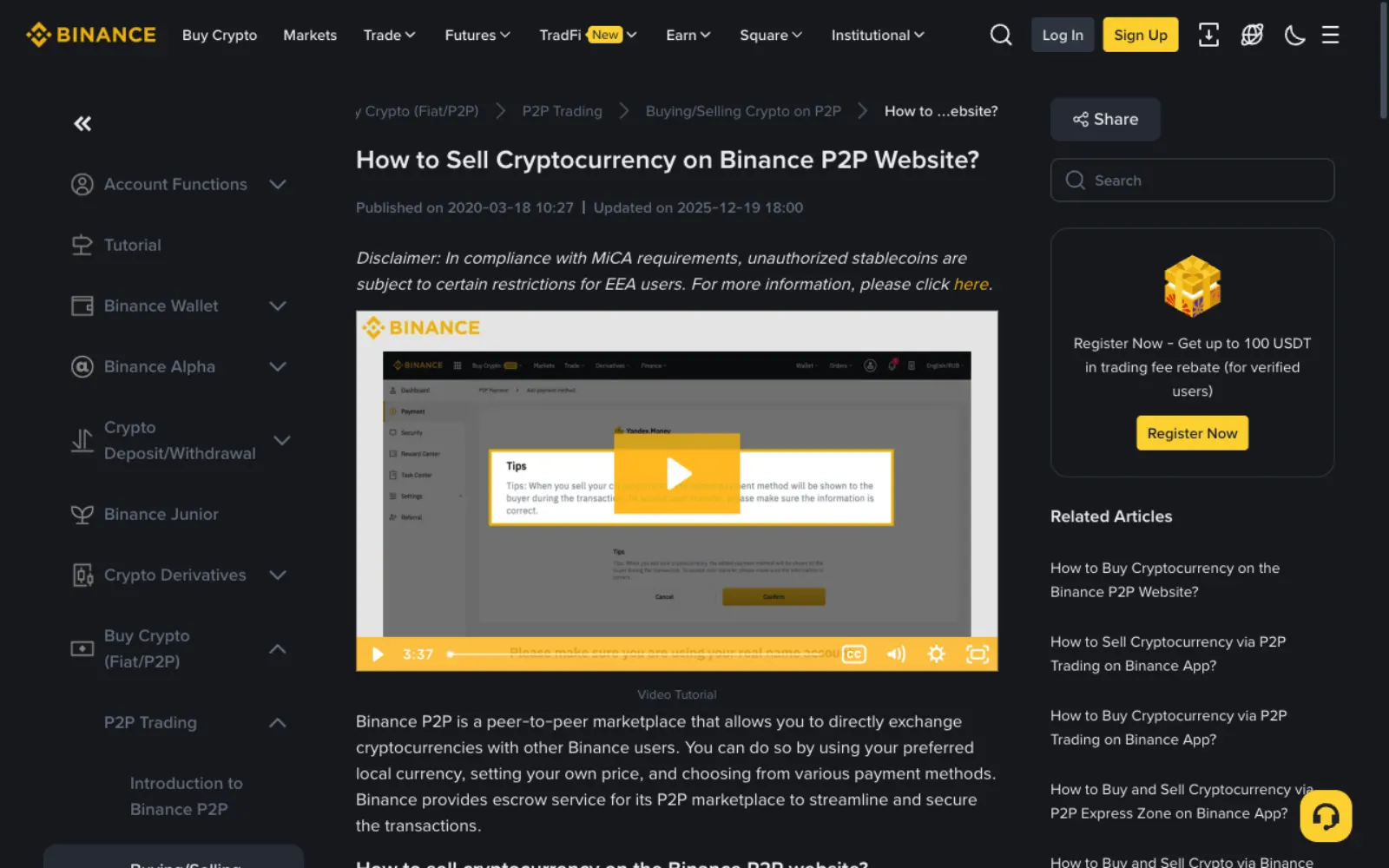
As with buying, you need identity verification and at least one two-factor method (Binance now suggests passkeys or Google Authenticator). Your USDT must be in the Funding account: if it is in Spot, transfer it to Funding under Assets first, which is free.
Then set up how you will be paid. Binance points out that the payment method you add is shown to the buyer and must be your own real-name account. If you receive into someone else's account, it is hard to prove the money belongs to your order when something goes wrong.
Step 2: Pick a reliable buyer ad
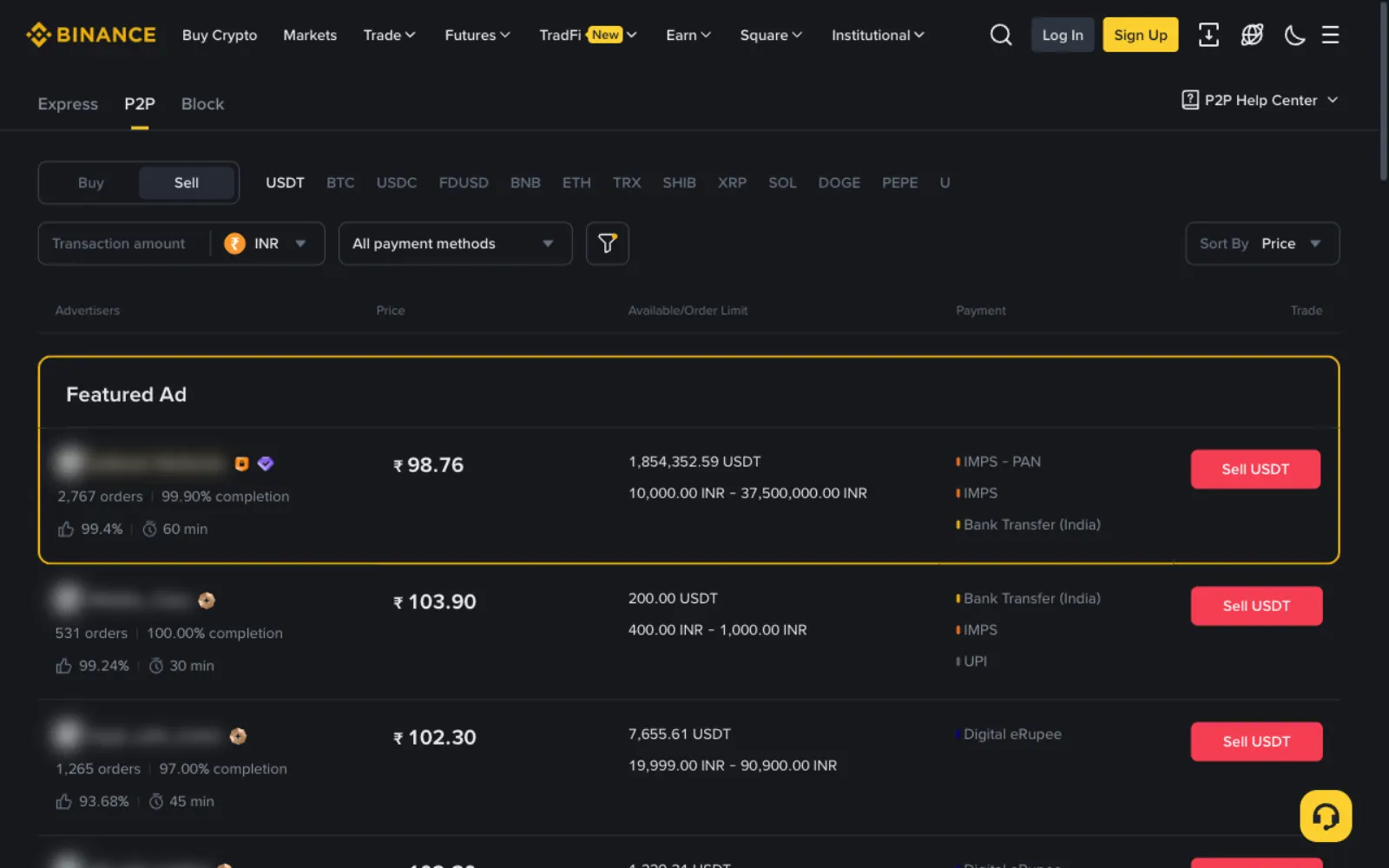
On the Binance website click Trade → P2P, choose Sell, the coin USDT and your currency. The list now shows buyer ads: the price is what the buyer will pay you in local currency, with their payment methods on the right.
- Filter by a payment method you can receive, such as UPI, bank transfer or M-Pesa.
- Enter the amount you plan to sell so unsuitable limits drop out.
- Prefer buyers with many completed orders and a high completion rate; a yellow badge marks Binance-verified merchants.
- Compare with your country's typical sell price on Offpar; be wary of bids well above the market.
Step 3: Place the order and your USDT is locked
Click Sell USDT on the ad, enter the amount, choose your payment method and confirm. The platform then locks that USDT in escrow while the buyer pays. Meanwhile neither you nor the buyer can use it.
The order page has a chat box on the right; keep all communication there. Once the buyer pays, the order waits for you to confirm receipt.
Step 4: Confirm the money in your own account
This is the most important step. In Binance's words: before clicking Payment Received, make sure you have received the buyer's payment in your bank account or wallet, and do not rely solely on SMS or email notifications.
Open your own banking or wallet app and check three things: the amount matches the order, the payer's name matches the buyer's verified name on Binance, and the money has actually arrived rather than showing as pending.
- Only a screenshot: do not release.
- Only a text saying money arrived: do not release; texts can be faked.
- The payer's name differs from the buyer's: do not release; appeal, as it may be a man-in-the-middle scam or third-party payment.
- More than the order amount, with a request to refund the difference: do not refund yourself; handle it through an appeal.
Step 5: Payment Received, then Confirm Release
Once the money is really there, click Payment Received and then Confirm Release. The USDT moves to the buyer's Funding account and the order completes. This cannot be undone, so none of the checks above can be skipped.
If the buyer never pays, or pays with the wrong amount or name, do not release; click Appeal on the order page for Binance support. Under Binance's appeal rules, if a buyer marks an order paid without paying, support cancels it; if the buyer did pay and you have not received it, support checks with both sides.
When to sell and how much
For your first sale, start small and go through the whole flow once: how long the buyer takes to pay, what the arrival looks like in your bank, where the release button is. Sell the rest once you are comfortable.
Trade when you can check your bank account at any moment. If you cannot log in to confirm a payment, do not release; let the order time out rather than releasing on someone's word that they paid.
What selling costs
Binance's P2P merchant guidelines say P2P may charge both makers and takers a trading fee, ranging from 0% to 0.35% by fiat market and pair, with discounts for verified merchants. Your bank or wallet may also charge to receive.
So work out the net amount before selling: price times quantity, minus platform and receiving fees. For small balances, see what to do with leftover USDT; selling is not always best.
Frequently asked questions
How long until the money reaches my bank?
On P2P the buyer pays you directly, so it depends on their method: real-time rails such as UPI, Raast or M-Pesa usually take minutes; ordinary bank transfers can take longer. You release only after the money arrives, so "released but not paid" should never happen in a normal sale.
The buyer marked the order paid but nothing arrived. What now?
Do not release. Check your account again, and if nothing has arrived, click Appeal on the order page with a screenshot of your account. Under Binance's rules, support cancels orders marked paid without payment.
Can money received for USDT get frozen?
It can. If the buyer used money of unknown origin that is later reported, your account may be frozen by your bank. Trading with buyers who have good records and accepting only payments in the buyer's verified name greatly reduces the risk. See what to do if your bank account is frozen after P2P.
Can I sell a large amount at once?
Yes, but the larger the amount, the more you should stick to verified merchants and high completion rates, and watch each ad's maximum. Large incoming payments also attract bank checks, so splitting into several sales over time helps.
Sources
This guide is based on the official pages and public material below, last checked on 2026-11-11. Platforms change their rules and products, so check the relevant page before you order.
- Binance: How to sell cryptocurrency on the Binance P2P websiteReviewed 2026-11-11
- Binance: P2P appeal handling rulesReviewed 2026-11-11
- Binance: P2P merchant guidelines (fees)Reviewed 2026-11-11
Ready to buy your first USDT?
Check today's USDT P2P price and premium for your country first so you know the going rate. If you have no exchange account yet, signing up and verifying takes about a quarter of an hour.
"Create a Binance account" is our referral link: if you sign up through it we may earn a commission, and your prices and fees stay the same. How we handle referral links