
To buy USDT with local currency on Binance, you first need an account with verified identity. Identity verification, also called KYC (know your customer), is how exchanges confirm who their users are under anti-money-laundering rules. Without it you generally cannot buy, sell or trade.
This guide covers sign-up and verification, what to prepare and the most common reasons verification fails. Requirements differ by country, so go by what the Binance page shows you.
Key points
- Signing up only needs an email or phone number, but you must verify before trading
- The core requirement is a government-issued photo ID plus a liveness face check
- ID photos must be clear, complete and unedited; photos of photos are rejected
- Check first that Binance serves your country
- Turn on two-factor authentication; P2P requires it too
Before you sign up: check Binance works in your country
Binance does not offer its full service in every country, and some regions have separate local platforms or restrictions. Check Binance's terms and the notes for your region before signing up, so you do not finish verification only to find a feature unavailable.
Download the app only from Binance's official website or official app stores. Fake sites and apps built to steal logins are common.
One more thing people overlook: the country you enter should be the one you really live in. Registering with another country's identity details can restrict features later or even get the account frozen.
Step 1: Create the account
Sign-up asks for an email or phone number and a password, and sends a code to confirm. If you arrive through a referral link, the referral code is filled in automatically; you can also sign up without one.
Use a strong password used nowhere else. Right after signing up, enable two-factor authentication, preferably an authenticator app such as Google Authenticator rather than SMS alone. Binance P2P requires at least one 2FA method.
Step 2: Verify your identity
After logging in, go to Account → Identification, or tap the Get Verified prompt. Follow the steps: choose your country or region, enter your details, upload ID photos and finish with a liveness face check.
- Choose your nationality or country of residence and enter your name, date of birth and address exactly as on your ID.
- Pick the document type and upload photos. Passports, national ID cards and driving licences are common; the options depend on the country.
- Complete the face check by turning your head or blinking as prompted. Binance notes that a plain selfie is not enough; a liveness check is required.
- Submit and wait for review. It can take from a few minutes to several days when volumes are high.
Which documents you need
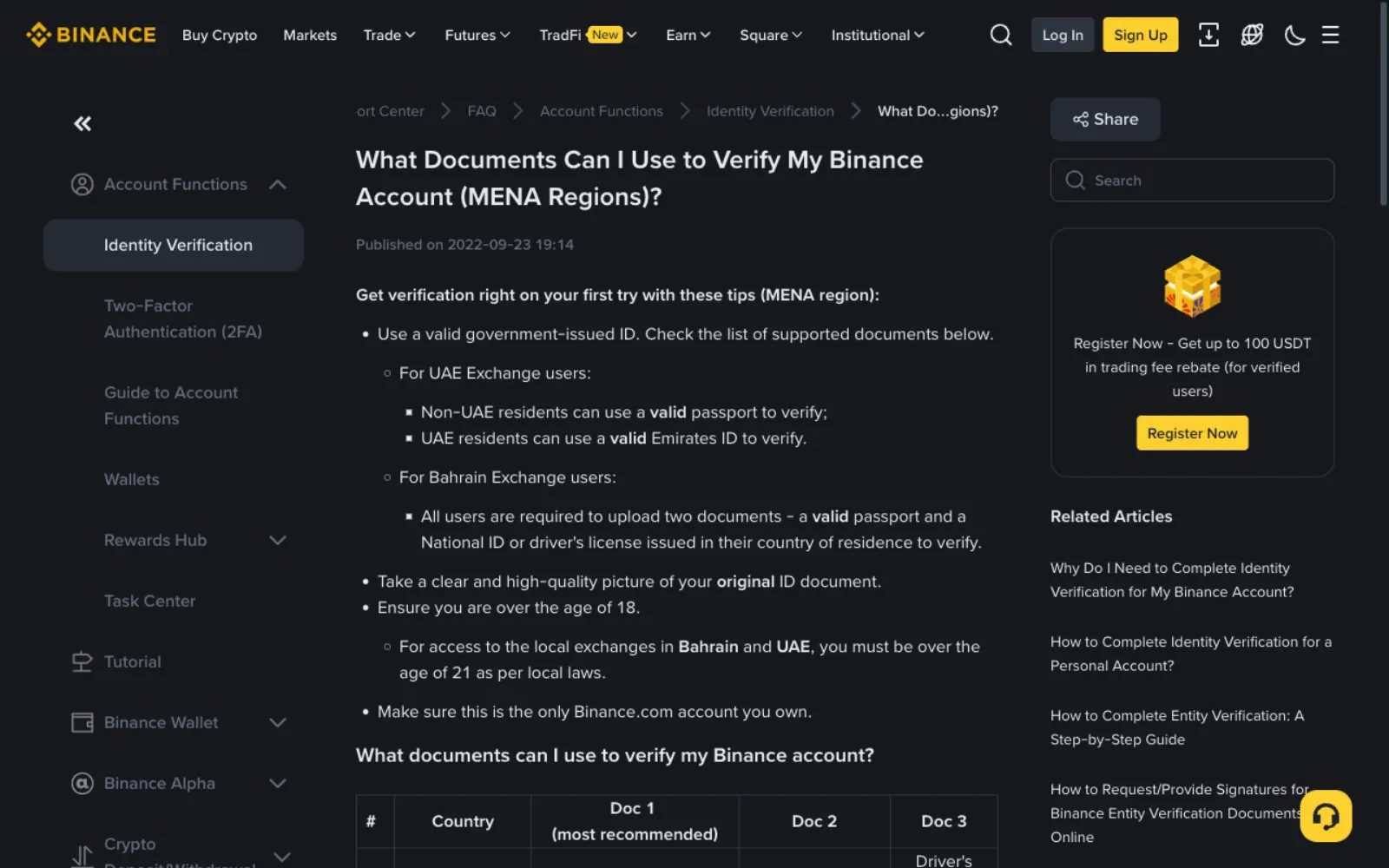
The core requirement is a valid government-issued photo ID. Binance's help pages say the ID must show your full name, photo and date of birth, and non-government IDs are not accepted. Some regions and higher verification levels also ask for proof of address, such as a utility bill, bank statement or tax document from the last three months.
Accepted document combinations and minimum ages differ by country. Binance's page on the Middle East and North Africa, for example, sets the minimum age at 21 in the UAE and Bahrain. The verification page shows the document types available for the country you choose.
Common reasons verification fails
Rejections are usually about the documents, not about you. Check these before resubmitting.
- Blurry or glare-covered photos, or ID corners cut off
- Photographing a screen or photocopy instead of the original
- Name or date of birth not matching the ID, including spelling and order
- An expired document
- Too little light, or a hat or glasses during the face check
- Retrying immediately after repeated failures: Binance suggests waiting 24 hours
After verifying, set up these protections
Once there is money in the account, security settings matter as much as verification. Binance offers a few features worth turning on straight away; five minutes of setup blocks most account takeovers and phishing.
- Two-factor authentication: use an authenticator app instead of SMS codes. P2P requires at least one method.
- Anti-phishing code: official Binance emails will then include a phrase you set; an "email from Binance" without it is fake.
- Withdrawal address whitelist: withdrawals can only go to addresses you saved in advance, so even a stolen login cannot easily move funds out.
- A unique password: never reuse your email or other sites' passwords.
- Official channels only: download the app from the official site or store and never use login links from texts or chats.
Once you are verified
With verification done you can buy USDT with local currency on P2P. For the first trade, follow buying USDT on Binance P2P step by step.
Remember what verification is for: both sides of a P2P trade are identified. Always pay from an account in your verified name, and when selling, only accept payment from an account in the buyer's verified name.
Frequently asked questions
Can I buy USDT without verification?
On Binance, generally not. Unverified accounts usually cannot buy, sell or trade, and P2P requires verification first.
How long does verification take?
With clear, complete documents, usually minutes to hours. When volumes are high or a manual review is needed, it can take a day or two or longer.
Is my personal information safe?
Verification data is held by the exchange for compliance. Submit it only on Binance's official website or app, and never send ID photos to anyone claiming to be support.
Does signing up through a referral link change anything?
A referral link only adds a referral code at sign-up. It does not change verification or your trading prices. Some referral campaigns offer extra rewards, as set out on Binance's campaign page.
What do the different verification levels mean?
Higher levels usually unlock more features and higher limits. Binance adjusts level names and requirements by region, so check the Identification page in your account.
My verification was rejected. What now?
Read the rejection reason and check the common problems above: clear and complete photos, details matching the ID, a valid document. Fix them and resubmit; after repeated rejections, wait 24 hours as Binance suggests, then contact official support if it still fails.
Sources
This guide is based on the official pages and public material below, last checked on 2026-11-10. Platforms change their rules and products, so check the relevant page before you order.
- Binance: Documents you can use to verify your account (MENA regions)Reviewed 2026-11-10
- Binance: Video identity verification with customer supportReviewed 2026-11-10
- Binance: How to buy cryptocurrency on Binance P2P (web)Reviewed 2026-11-10
Ready to buy your first USDT?
Check today's USDT P2P price and premium for your country first so you know the going rate. If you have no exchange account yet, signing up and verifying takes about a quarter of an hour.
"Create a Binance account" is our referral link: if you sign up through it we may earn a commission, and your prices and fees stay the same. How we handle referral links