
P2P means peer-to-peer: you are not buying USDT from the exchange but from another user, the seller. You pay them in local currency by bank transfer or mobile wallet, and the platform holds the seller's USDT in escrow until the seller confirms your payment. In India, Pakistan, Argentina and many other countries this is how most people buy USDT.
This guide uses the Binance P2P website and follows the process in Binance's help centre, explaining each step of a first purchase and where people most often go wrong.
Key points
- You need identity verification and at least one two-factor authentication method first
- Choose an ad on limits, payment method, completed orders and completion rate, not just price
- Placing an order immediately locks the seller's USDT in escrow
- Only click "Transferred, notify seller" after you have actually paid
- If the seller does not release in time, use the platform's Appeal, not private contact
Step 1: Get your account ready
According to Binance's help centre, before using P2P you need to complete identity verification (KYC) and enable at least one two-factor authentication (2FA) method, such as Google Authenticator. If you do not have an account yet, start with how to sign up for Binance and verify your identity.
Also have the bank account or mobile wallet you will pay from ready. On P2P the name on the paying account must match the name verified on Binance. Paying from someone else's account lets the seller refuse and can be treated as a rule violation.
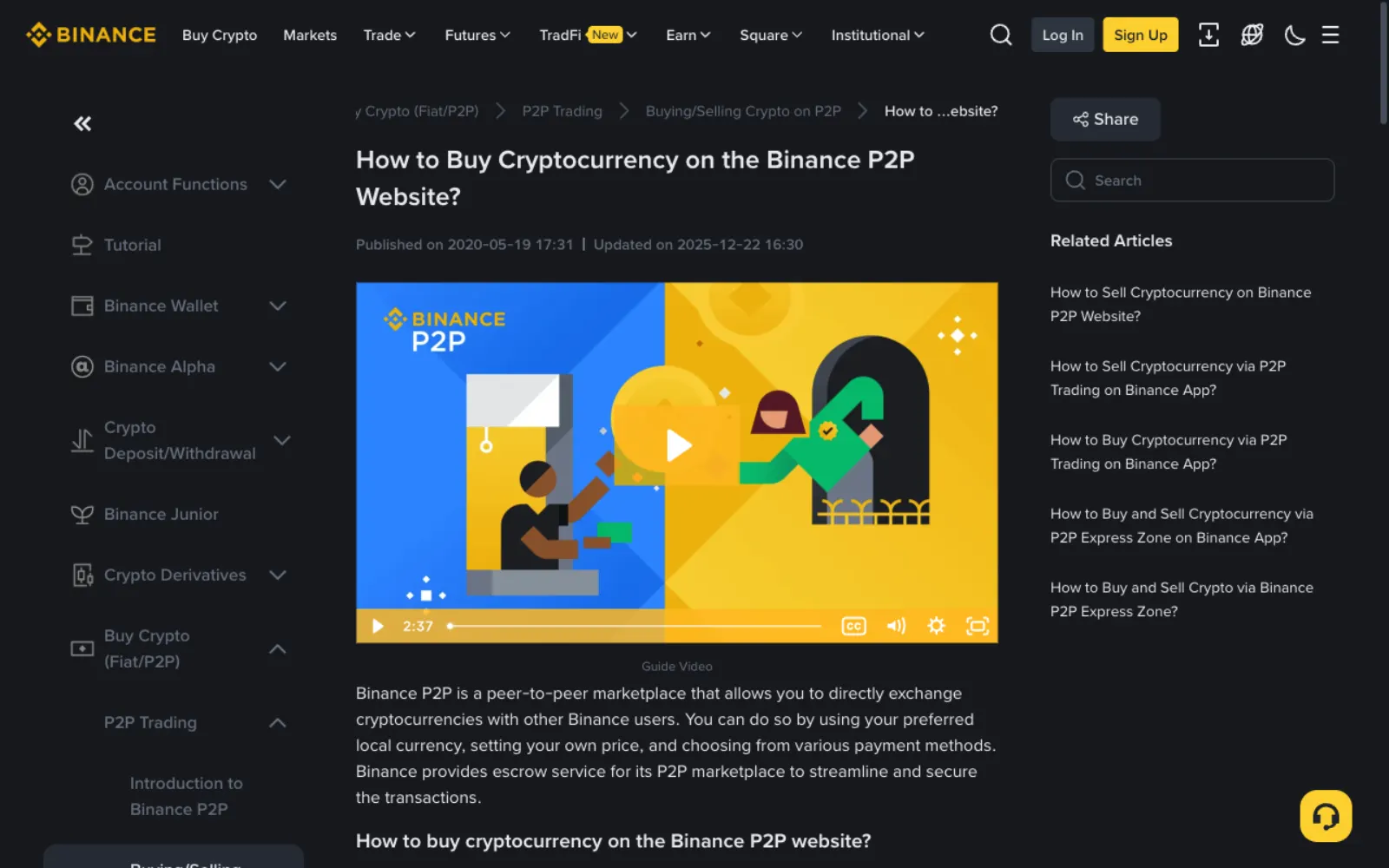
Step 2: Open P2P and pick a reliable ad
On the Binance website, click Trade → P2P. At the top are two modes: Express, which matches you with a seller automatically at the best available price, and P2P, which lists every ad for you to choose from. For a first purchase P2P mode is better because you can see each ad's terms.
Choose Buy, the coin USDT and your currency, for example INR. Each row is a seller's ad: the advertiser's nickname, completed orders and completion rate on the left, the price, available amount and order limits in the middle, and accepted payment methods on the right.
Prefer a local payment method that arrives instantly and shows the recipient's name before you pay, such as UPI in India, Raast in Pakistan, M-Pesa in Kenya, InstaPay in Egypt and SPEI in Mexico. Prices also differ between payment methods in the same currency, and each method's price page compares them.
- Filter by a payment method you can use, such as UPI or bank transfer.
- Enter the amount you plan to spend so ads with unsuitable limits drop out.
- Among the rest, prefer advertisers with many completed orders and a high completion rate, not just the cheapest price.
- Read the ad's terms before ordering. Some sellers ask for a payment note, extra verification or a payment window.
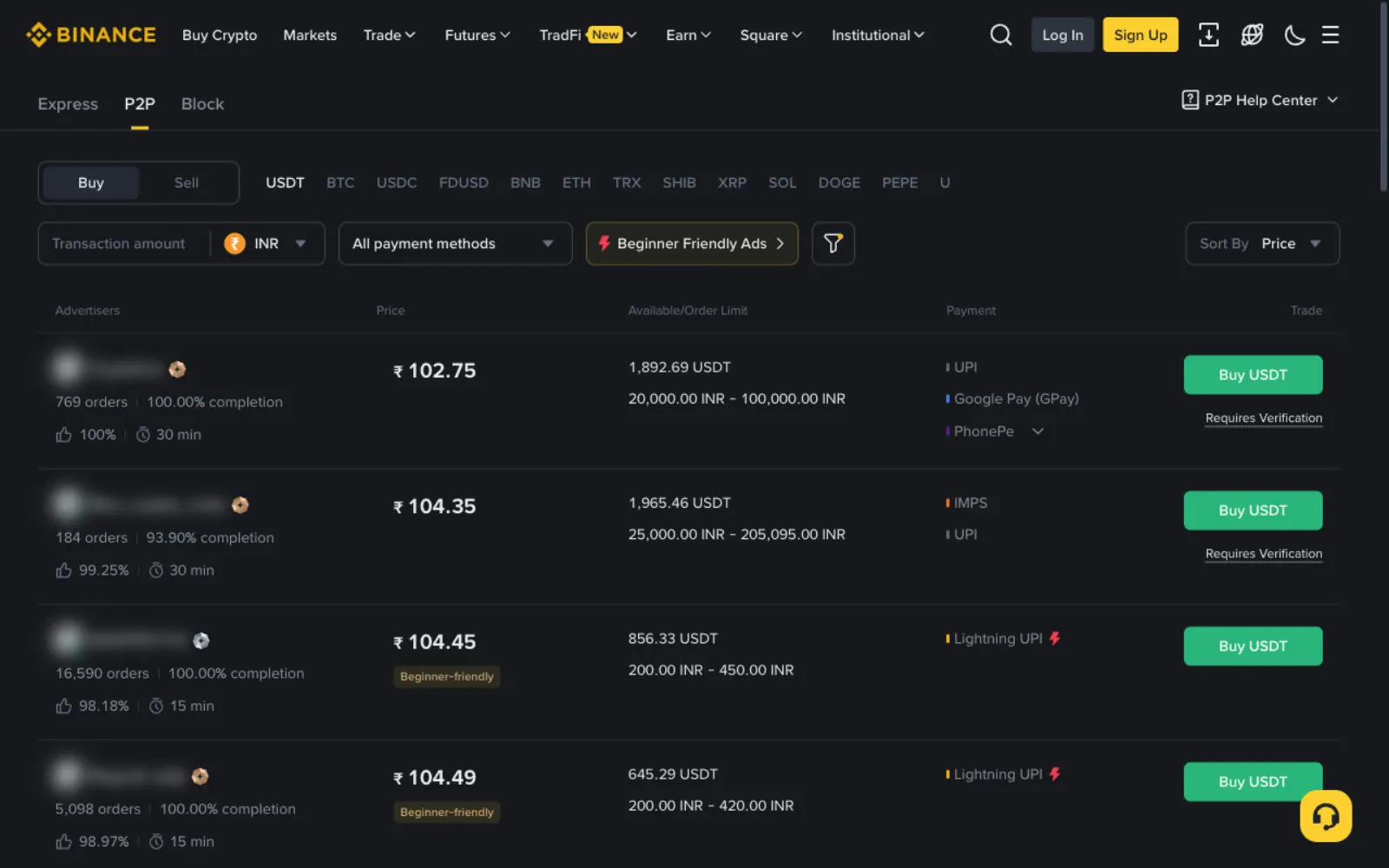
Step 3: Place the order and the seller's USDT goes into escrow
Click Buy USDT on the ad you chose, enter how much local currency you will pay or how much USDT you want, and confirm. Binance says that once you place an order, the platform immediately secures an equivalent amount of the seller's crypto. That is what makes P2P relatively safe: the seller cannot sell those coins to someone else or pull them back.
The order page shows the seller's payment details and a countdown. The ad sets the payment window, and an order not paid in time is cancelled automatically.
Step 4: Pay outside the platform, then mark the order paid
Payment does not happen inside Binance. You open your own banking or wallet app and transfer to the seller using the details on the order page. Check each one: recipient name, account and amount must match the order page exactly.
Once you have paid, go back to the order and click Transferred, Notify Seller. The status changes to Releasing. Binance specifically warns: do not click that button unless you have paid, and once you have paid, do not click Cancel unless the seller has already refunded you.
- Write the payment note the ad asks for, and nothing like "USDT" or "crypto"
- Never pay an account sent separately in chat; only the order page details count
- Keep your transfer receipt and bank statement for any appeal
Step 5: The seller confirms and your USDT arrives
When the seller sees the money in their own account, they release the coins and the USDT lands in your Binance account; the order page has a View my balance button. Normally this takes a few minutes.
If the seller does not release within the designated time frame, click Appeal on the order page to bring in Binance support, who will look at your payment proof and the chat history. That is why every message from order to release should stay in the order chat.
Platform rules people overlook
Binance's help centre lists a few rules worth knowing before your first trade, so your account is not restricted.
- You cannot have more than two ongoing orders at the same time.
- Cancelling three buy orders in a day suspends buying for that day.
- The paying account must be in your verified name; third-party payments violate P2P rules.
- Binance will never email you to complete a P2P trade. Anyone claiming to be support who asks you to release or transfer first is a scammer.
How much to buy the first time
For your first P2P purchase, buy a small amount, just enough to go through the whole process once. If you are slow or unsure at any step, little is at stake, and afterwards you will know how the order page, countdown and release feel.
Many ads have a minimum order. If your amount is below most ads' minimum, enter it in the amount filter, or try Express mode and let the system find a seller who will take the order.
Before you order, check today's price
At any moment, ads can differ by several percent. Before ordering, check your country's USDT P2P price on Offpar: it shows the middle price of ads with a reliable track record and how far it sits above the dollar rate. If the ad you like is clearly above that, it is worth comparing a few more.
Frequently asked questions
Are there fees for buying USDT on Binance P2P?
Buyers usually pay Binance no trading fee on P2P, but your bank or wallet may charge for the transfer, and the ad price includes the seller's margin. Check what the Binance page shows.
What if the seller never releases after I paid?
Remind the seller politely in the order chat. If the release time passes, click Appeal on the order page and submit your payment proof for Binance support. Do not move the conversation to another app.
Can I pay with a family member's bank card?
Better not. P2P requires the paying account to match your verified name. A third-party payment can be refused and can put the seller's account at risk of being frozen.
Where does the USDT go?
After release it appears in your Binance account balance, reachable from the View my balance button on the order page.
What is the difference between Express and P2P mode?
Express matches you with a seller automatically at the best current price; you only choose a payment method and confirm. P2P lists every ad so you choose the seller yourself, which lets a first-time buyer see each ad's terms and track record.
Sources
This guide is based on the official pages and public material below, last checked on 2026-11-11. Platforms change their rules and products, so check the relevant page before you order.
- Binance: How to buy cryptocurrency on Binance P2P (web)Reviewed 2026-11-10
- Binance: How to avoid common P2P scamsReviewed 2026-11-10
Ready to buy your first USDT?
Check today's USDT P2P price and premium for your country first so you know the going rate. If you have no exchange account yet, signing up and verifying takes about a quarter of an hour.
"Create a Binance account" is our referral link: if you sign up through it we may earn a commission, and your prices and fees stay the same. How we handle referral links