
Most P2P trades go smoothly, but sometimes they do not: you paid and the seller will not release; you are selling and the buyer marked the order paid with no money arriving; or the order was cancelled after you paid. Binance's formal route for all of these is an appeal.
Based on Binance's help centre and its P2P appeal handling rules, this guide covers when to appeal, how, what support does and what evidence to prepare.
Key points
- During an appeal the order's assets are locked so neither side can take them
- After you appeal, the other side has 10 minutes to respond
- If a real-time payment is not released within 15 minutes, support contacts the seller
- The more complete your evidence, the better: transfer records, bank statements, chat
- Keep all communication in the order chat, never in another app
When to appeal
Appeals are for when the two sides' accounts do not match or one side will not cooperate. Try the order chat politely once; if that fails, do not wait.
- You paid and the seller has not released after the release time.
- You are selling, the buyer marked paid, and nothing arrived in your account.
- The amount paid does not match the order.
- The payment came from a third party, not the buyer.
- The order was cancelled automatically after you paid.
How to appeal
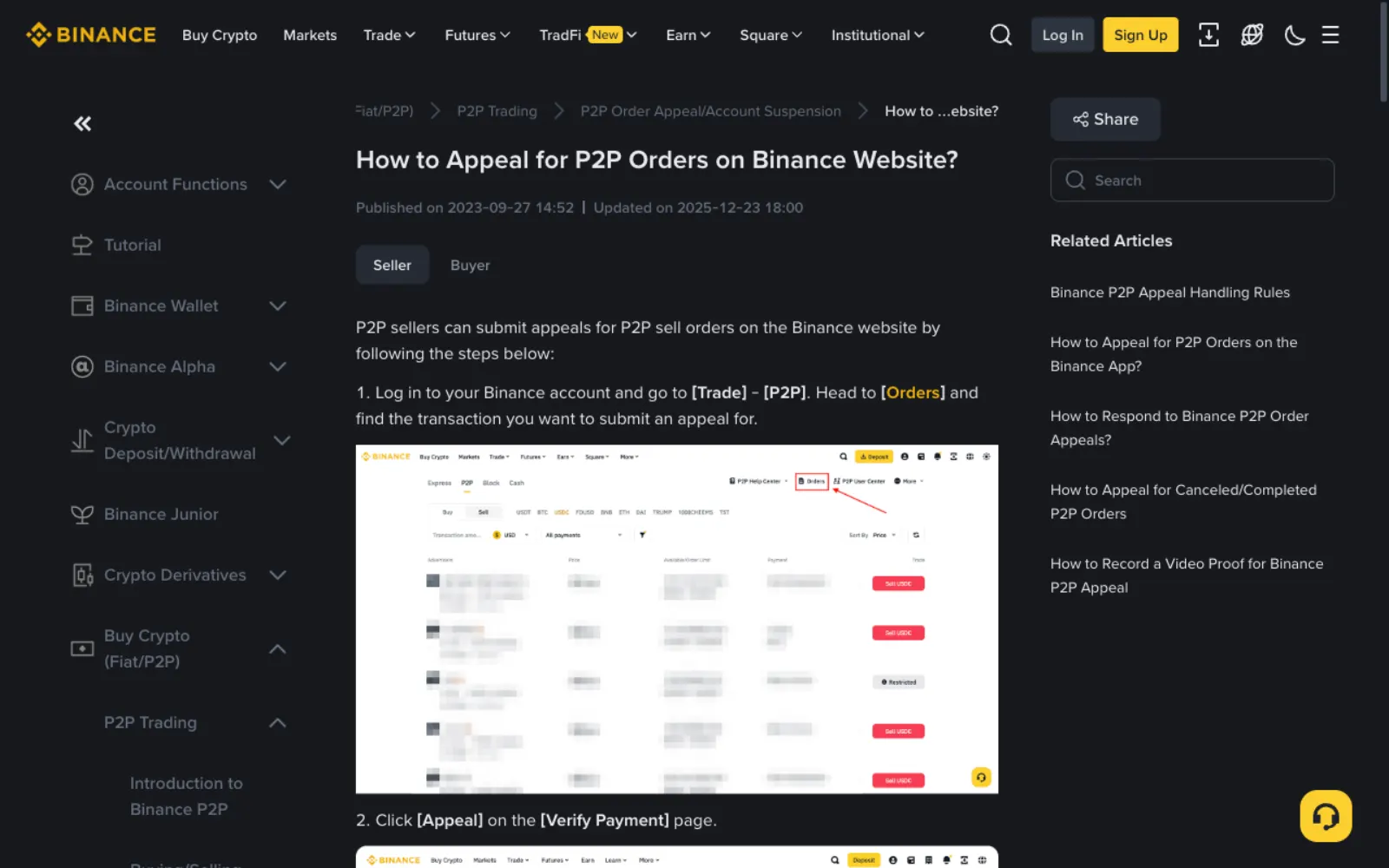
On the Binance website go to Trade → P2P → Orders and open the order. Sellers click Appeal on the Verify Payment page; buyers click Appeal on the Pending Release page.
- Choose the issue that fits from the pop-up.
- Explain in detail: when you paid, how, and what the other side said.
- Upload screenshots such as the successful transfer, bank statement and chat.
- The other side then has 10 minutes to respond with Negotiation failed or Consensus reached.
- If they choose Negotiation failed, or do not respond within 10 minutes, the appeal moves to Under Review, support steps in, and you are notified by email and SMS.
How support decides: the key rules
Binance's P2P appeal handling rules, which apply to non-CNY trades, set out common cases.
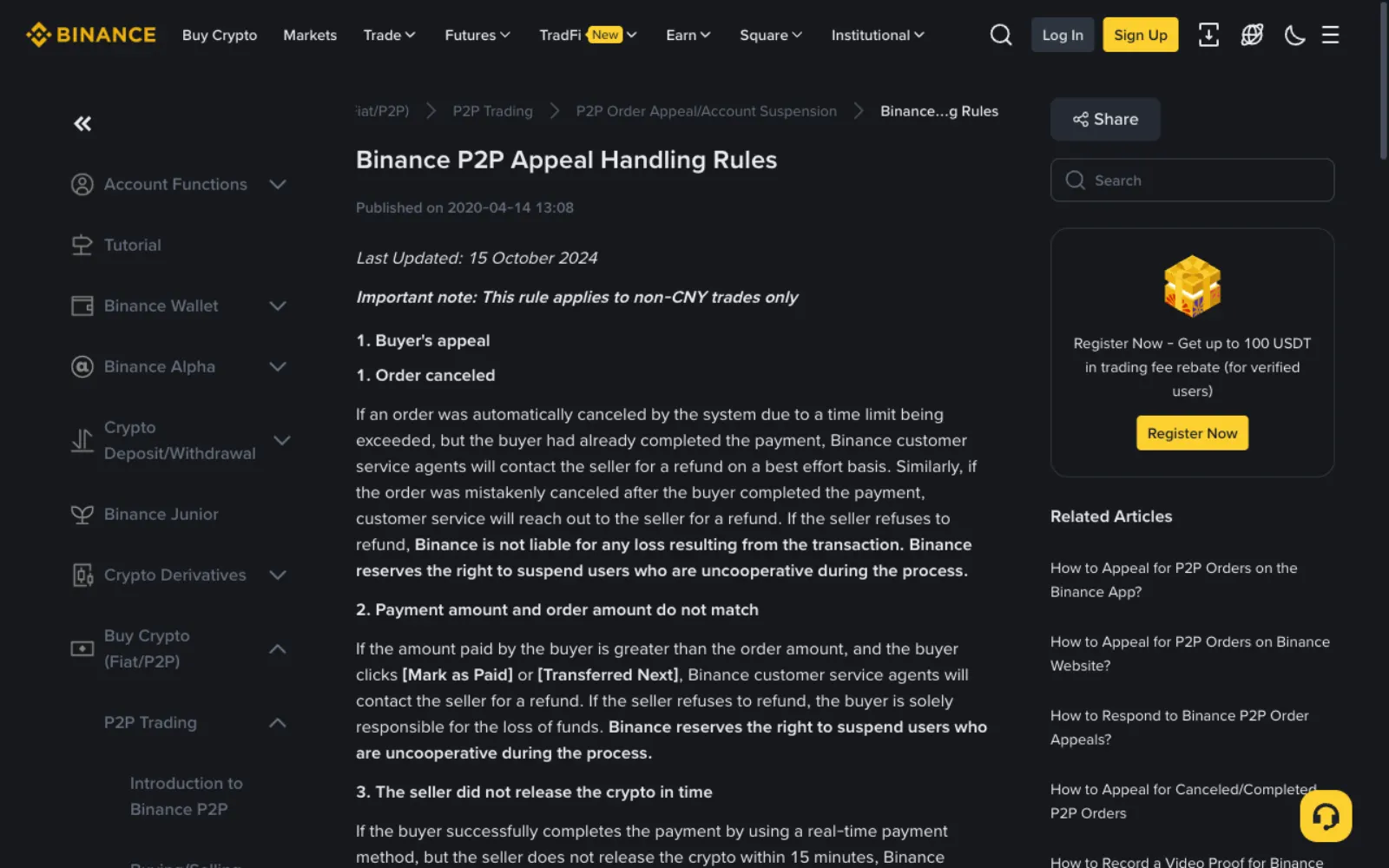
- Buyer paid by a real-time method and the seller did not release within 15 minutes: support contacts the seller.
- Buyer paid by a non-instant method: support asks the seller to release within two working days.
- Buyer clicked paid without paying: support cancels the order.
- Seller released without confirming payment: the seller bears the loss.
- Price more than 10% below market (5% for orders over US$1,000): treated as a price dispute and support intervenes.
- Binance reserves the right to end service for users who will not cooperate during the process.
What evidence to prepare
Support decides on what you submit, so send it all the first time.
- A screenshot of the successful payment showing amount, time and recipient.
- Bank or wallet statements proving the money left, or never arrived.
- Screenshots of the order chat.
- For large or disputed cases, Binance also explains how to record a video proof; follow its help centre guide.
An example: paid, seller won't release
Say you paid 10,000 rupees by UPI, clicked Transferred, Notify Seller, and 20 minutes later the seller has not released and is not replying. Appeal straight away: choose seller has not released, give the payment time and method, and attach the UPI success screen and bank statement.
If the seller does not respond within 10 minutes the appeal goes under review. Because you paid by a real-time method, the rules have support contact a seller who has not released within 15 minutes. Throughout, the seller's USDT stays locked and cannot be sold to anyone else.
Cancelling an appeal versus cancelling the order
If you have sorted it out with the other side, click Cancel Appeal: the order returns to the payment confirmation stage and the seller still has to release. If you cancel the appeal by mistake, you must wait 5 minutes before submitting again.
Cancelling the order is different. As a buyer, cancel only if you truly have not paid, or the seller has refunded you; cancelling after paying makes your money hard to recover.
Avoiding appeals in the first place
Most appeals trace back to avoidable slips: a counterparty with few completed orders, paying an account given in chat, paying from someone else's account, or releasing before confirming payment. The checklist in six common P2P scams avoids most of them.
And trade when you can check your bank account at any time, so you can verify and appeal straight away if something goes wrong.
Frequently asked questions
How long does an appeal take?
Binance gives no overall time. The stated limits are: the other side has 10 minutes to respond, support steps in if a real-time payment is not released within 15 minutes, and sellers must release within two working days for non-instant payments. Complete evidence speeds things up.
Where is the money during an appeal?
The crypto in the order is locked and neither side can use it until support decides. The local currency you sent is in the other side's account, to be handled after support's decision.
Support asked me to continue on WhatsApp. Is that OK?
No. Real Binance support only contacts you through the platform's appeal and support channels. Anyone asking you to add another contact, release first or transfer money is impersonating support.
Can I appeal an order that is already completed?
Binance's help centre has a separate guide for appeals on cancelled or completed orders. If a completed order turns out to be a problem, for example a payment reversed later, submit as that guide describes with full evidence as soon as possible.
Sources
This guide is based on the official pages and public material below, last checked on 2026-11-11. Platforms change their rules and products, so check the relevant page before you order.
- Binance: P2P appeal handling rulesReviewed 2026-11-11
- Binance: How to appeal for P2P orders on the websiteReviewed 2026-11-11
- Binance: Glossary of P2P trading termsReviewed 2026-11-11
Ready to buy your first USDT?
Check today's USDT P2P price and premium for your country first so you know the going rate. If you have no exchange account yet, signing up and verifying takes about a quarter of an hour.
"Create a Binance account" is our referral link: if you sign up through it we may earn a commission, and your prices and fees stay the same. How we handle referral links